

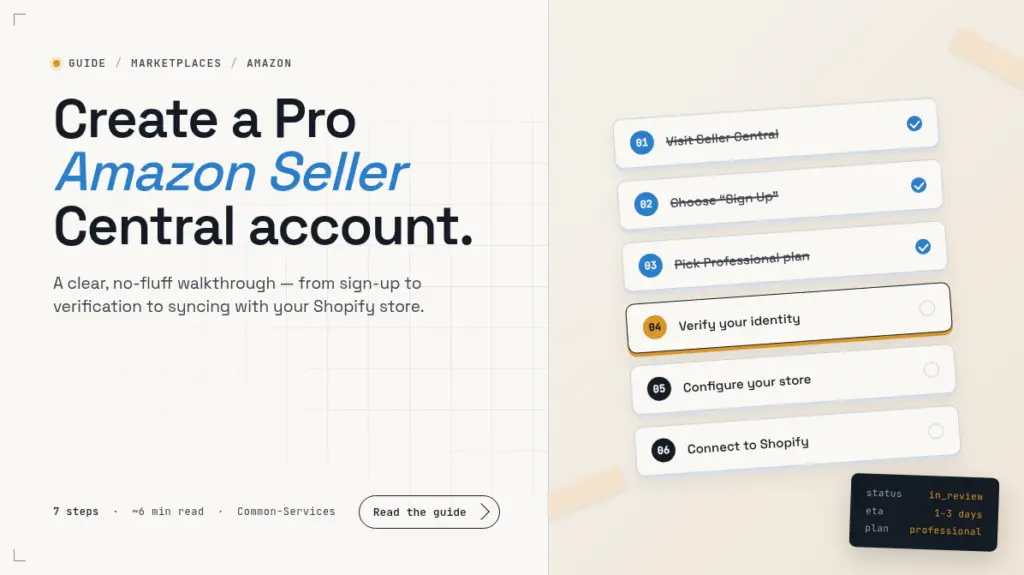
Thinking about selling on Amazon? Setting up a Professional Seller Central account is the first real step — and once you know the path, it’s faster than most people expect. Below is a clear, no-fluff walkthrough of what to prepare, how long Amazon typically takes to review your application, and what to do once you’re approved so you can start selling with confidence.
Why a Professional Seller account?
Amazon offers two seller tiers: Individual and Professional. The Individual plan is fine for someone offloading a handful of items a month, but if you’re serious about building a brand on Amazon — managing inventory, running ads, scaling listings — the Professional plan is the only one that makes sense. You get bulk listing tools, advertising access, eligibility for the Buy Box, and the ability to sell in restricted categories. It also unlocks the integrations and APIs that any serious operations stack relies on.
Step-by-step: opening your Professional Seller Central account
Step 01 — Head to Seller Central
Start at sellercentral.amazon.com. This is the global entry point — you’ll choose your selling region in a moment.
Become a seller. Reach millions of customers.
Open a Professional Seller Central account and start listing in minutes.
Sign upStep 02 — Click “Sign Up”
From the landing page, hit Sign Up, then choose Create your Amazon account. If you already have a personal Amazon account you’d rather keep separate from your business, register a fresh one with a dedicated business email — you’ll thank yourself later when it’s time to add team members or hand off ownership.
Step 03 — Pick the Professional plan
Amazon will offer you Individual or Professional. Choose Professional. The flat monthly subscription replaces the per-item fee that Individual sellers pay, so once you’re moving more than ~40 units a month, Professional is already the cheaper option — and that’s before you factor in the extra tools.
Individual
Professional
Step 04 — Fill in your business details
Have these on hand before you start, because the form runs end-to-end and timing out is annoying:
- Legal business name, address, and contact details
- A valid, chargeable credit card
- Bank account details for payouts (must match the business name)
- Tax information (VAT / EIN / equivalent for your country)
- A government-issued ID for the primary contact
Step 05 — Identity & business verification
Amazon will review your application — usually within 1 to 3 business days. They may ask for additional documentation: a clearer ID scan, a recent bank statement, a utility bill, or your business registration certificate. If extra verification is needed, plan for the full process to take 3 to 7 business days.
Verification in progress
Your documents are being reviewed by Amazon’s seller team.
Pro tip from the Anata team: submit clean, legible scans the first time. Blurry phone photos are the single most common reason applications get sent back for resubmission — it adds days to your timeline.
Step 06 — Configure your store
Once you’re approved, set the foundations before you start listing:
- Categories & listings — pick the right product categories and prepare titles, bullet points, descriptions, and images that meet Amazon’s style guide.
- Fulfillment — decide between Fulfillment by Amazon (FBA), where Amazon stores and ships for you, or Seller Fulfilled, where you handle logistics yourself. Many sellers run a hybrid.
- Payments & tax — confirm your deposit schedule, currency, and tax collection settings for every marketplace you plan to sell in.
Step 07 — Go live
With verification cleared and your settings in place, you can publish your first listings and start selling. Don’t forget to set up Brand Registry if you own a trademark — it unlocks A+ Content, Sponsored Brands ads, and stronger protection against counterfeits.
What separates a healthy Amazon account from one that stalls
Getting approved is the easy part. The brands that actually scale on Amazon do three things differently from day one:
- They treat listings as living assets. Titles, bullets, A+ content, and imagery are tested and improved on a cadence — not written once and forgotten.
- They feed the flywheel. Sponsored Products, Sponsored Brands, and DSP campaigns are mapped to where shoppers are in the funnel — not blanketed across every keyword.
- They watch the right metrics. Conversion rate, unit session percentage, ad ACOS, and repeat-purchase rate — not just top-line revenue.
Listings
tested monthly
Ads
funnel-mapped
Metrics
weekly review
Stuck somewhere? We’ll get you through it.
If your Amazon account verification is dragging on, your listings aren’t converting, or you’re ready to scale ads but not sure where to start — that’s exactly what we do. Anata Inc. is an Amazon-focused growth team. We’ve helped brands set up accounts, optimize listings, manage advertising, and build fulfillment systems that hold up at scale.
Whether you’re launching your first listing or scaling past seven figures, we’ll show you where the leverage is. Reach out and we’ll be in touch shortly.